
How to Make the Mei Mei Snow Leopard AI Video From One Pet Photo
The Mei Mei Snow Leopard trend copies the "Snow Leopard Paws at You" meme (also called Mei Mei snow leopard), which went viral in late October 2026: a snow leopard photo edited to have the huge round eyes of Mei Mei, the viral cat, reaching its paw toward you with the caption "paws at you" (the meme is a still photo, so we used a short animated version as the motion reference). Here is how to make your own version with your dog or cat: the one-click way, and the do-it-yourself way with the exact prompt we use.
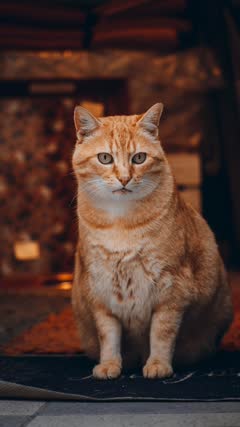 Photo
What you need
- One clear, well-lit photo of one pet, whole body visible, no people in the picture.
- A few minutes while the video renders.
- TikTok, Instagram Reels or CapCut, to add the trending sound.
The one-click way (free)
- Open the Mei Mei Snow Leopard AI template.
- Upload your pet photo and press Make my free video. No sign-up, no prompt to write.
- Watch your 5-second preview a few minutes later. Unlock the download for $2.99, or make 10-second 720p HD videos from $4.99.
Make my Mei Mei Snow Leopard video
The do-it-yourself way
You need a video model that takes a photo and a reference video together. We use Seedance 2.0. The photo decides who is in the video; the reference video only decides how it moves.
- Cut a 5 to 10 second clip from the original viral video. This is the motion reference. Make it vertical (9:16) and not too small: around 640 × 640 pixels in total or more, or the model rejects it.
- Give the model your pet photo as Image 1 and the clip as Video 1.
- Paste the prompt below and ask for a 10-second vertical video.
The main character is the pet from Image 1. Video 1 is ONLY a motion reference; the snow leopard in Video 1 must not appear.
10-second vertical video, static camera right in front of the pet, a close-up: the pet's face and chest fill the frame from the very first frame. Keep the pet's species, breed, face, eye color, fur color and markings exactly as in Image 1. Copy the motion from Video 1 beat by beat: the pet stares into the lens with wide round eyes, then lifts one front paw and pats it forward against the camera lens again and again in a steady rhythm, the paw pad pressing toward the viewer, the mouth opening in a small meow now and then, the head tilting slightly between pats. Furry animal paws, no human fingers. Setting: the cozy room from Image 1, blurred behind the pet. Exactly one animal, and it is the pet from Image 1. No people, no human hands, no text, no captions, no logo, no watermark.
Two lines do most of the work. The first says Video 1 is only a motion reference, so the animal from the original does not end up in your video. The last keeps it to one animal, with no people, text or watermark.
Cost tip: with Seedance the reference clip is billed too, at your output resolution. Shrinking it saves nothing; cutting it shorter does.
Tips from making our Mei Mei Snow Leopard example
- Crop the reference to the animal only. The copy we used has captions burned in near the bottom, so we cut the bottom off to keep text out of the result.
- Use a photo where the pet looks straight at the camera with its face and chest in view. The whole clip is a close-up, so a pet seen from the side or far away loses the stare.
- Name the snow leopard as the animal that must not appear, so the model treats the reference as motion only and keeps your pet's own fur.
Add the sound
Our videos come without audio. Before you post, add any trending sound from the "paws at you" posts (the meme started as a photo, so there is no single original sound) from the TikTok or Instagram sound library. The in-app sound is easier than editing music in, and the app takes care of the music license.