
How to Make the Cat Clapping AI Video From One Pet Photo
The Cat Clapping trend copies the Clapping Cat meme from late September 2026, where a black cat stands on a tiled floor, grins with human-like teeth and claps, then stops smiling and claps quietly (one 6-second copy has about 168,000 views on YouTube, and a 36-second compilation about 3.6 million). Here is how to make your own version with your dog or cat: the one-click way, and the do-it-yourself way with the exact prompt we use.
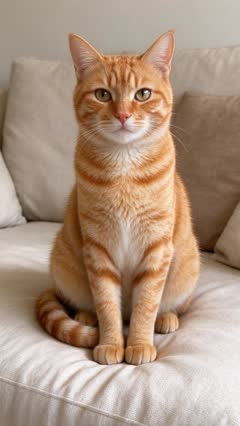 Photo
What you need
- One clear, well-lit photo of one pet, whole body visible, no people in the picture.
- A few minutes while the video renders.
- TikTok, Instagram Reels or CapCut, to add the trending sound.
The one-click way (free)
- Open the Cat Clapping AI template.
- Upload your pet photo and press Make my free video. No sign-up, no prompt to write.
- Watch your 5-second preview a few minutes later. Unlock the download for $2.99, or make 10-second 720p HD videos from $4.99.
The do-it-yourself way
You need a video model that takes a photo and a reference video together. We use Seedance 2.0. The photo decides who is in the video; the reference video only decides how it moves.
- Cut a 5 to 10 second clip from the original viral video. This is the motion reference. Make it vertical (9:16) and not too small: around 640 × 640 pixels in total or more, or the model rejects it.
- Give the model your pet photo as Image 1 and the clip as Video 1.
- Paste the prompt below and ask for a 10-second vertical video.
The main character is the pet from Image 1. Video 1 is ONLY a motion reference; the black cat in Video 1 must not appear.
10-second vertical video, static phone camera looking down at the pet, the pet's full body always in frame from the very first frame. Keep the pet's species, breed, face, eye color, fur color and markings exactly as in Image 1. Copy the motion from Video 1 beat by beat: the pet stands upright on its hind legs and claps its front paws together again and again with a huge, goofy, human-like toothy grin, throws both paws out wide, then the grin drops, it lowers its head and keeps clapping quietly with small paw taps, and finally reaches one front paw up toward the camera. Furry animal paws, no human fingers; exactly two front paws and two hind legs. Setting: a beige tiled floor with a pink knitted basket in the corner, like Video 1. No human legs, feet or toes anywhere in the frame. Exactly one animal, and it is the pet from Image 1. No people, no human hands, no text, no captions, no logo, no watermark.
Two lines do most of the work. The first says Video 1 is only a motion reference, so the animal from the original does not end up in your video. The last keeps it to one animal, with no people, text or watermark.
Cost tip: with Seedance the reference clip is billed too, at your output resolution. Shrinking it saves nothing; cutting it shorter does.
Tips from making our Cat Clapping example
- Crop the reference so the floor edge and anything below the cat are out of frame. In our first try the model turned two pink slippers at the bottom into a person's leg and toes.
- Ask for the huge human-like grin in the first half and a straight face in the second half. The switch from grinning to quiet clapping is the joke.
- Dogs work too: a corgi photo gave a clean result with the same reference, so you don't need a cat.
Add the sound
Our videos come without audio. Before you post, add the original sound from the Clapping Cat meme from the TikTok or Instagram sound library. The in-app sound is easier than editing music in, and the app takes care of the music license.